> ## Documentation Index
> Fetch the complete documentation index at: https://docs.lendpathway.com/llms.txt
> Use this file to discover all available pages before exploring further.
# Baselayer
Use Baselayer inside LendPathway to verify a business (KYB), then optionally order public-record checks such as liens and litigation.
## Core flow
1. **Enable** Baselayer for your organization under **Connectors → Integrations**.
2. **Verify** the business — usually from a book under **Actions → Baselayer** (fields prefilled from the application).
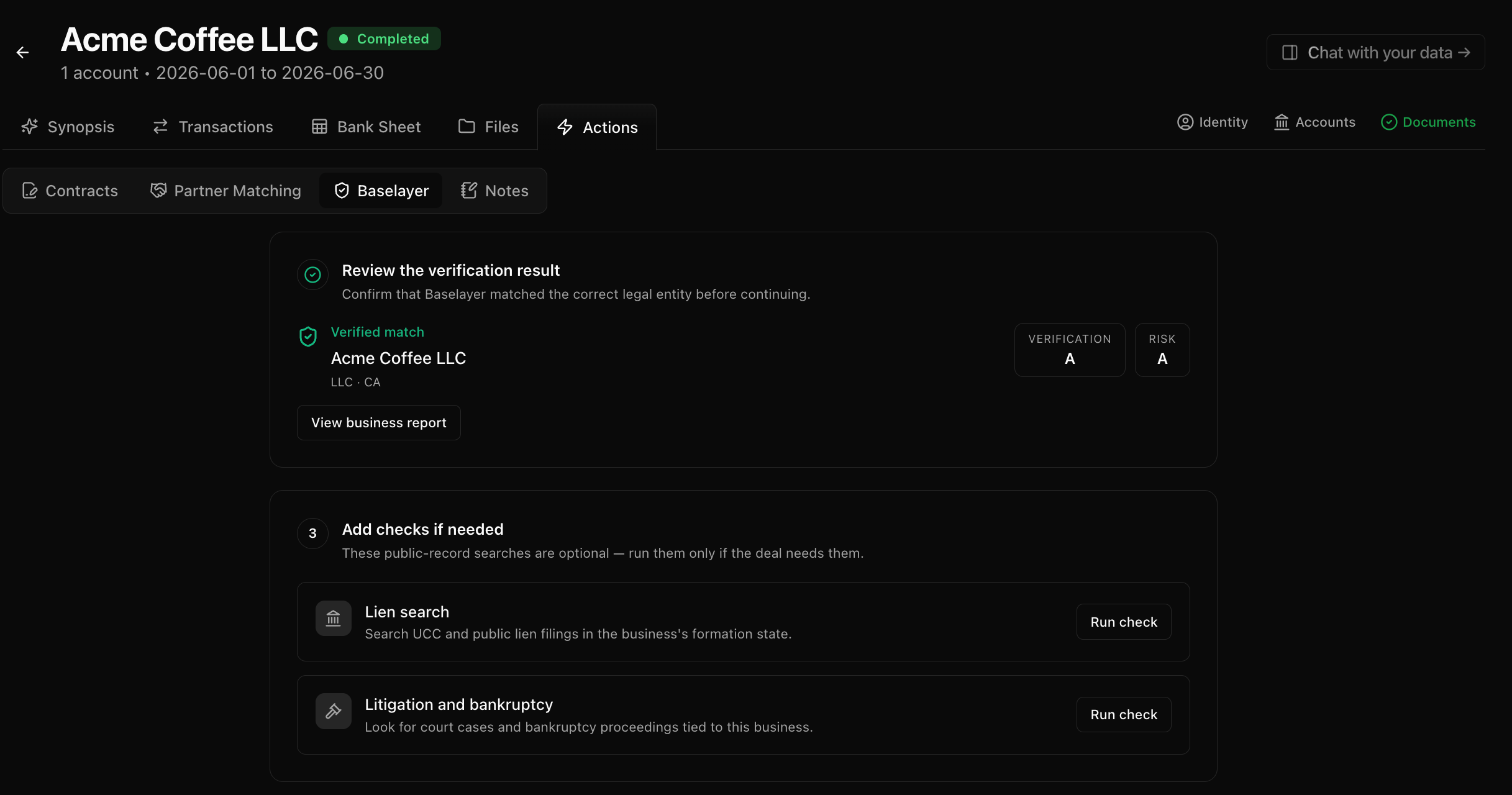
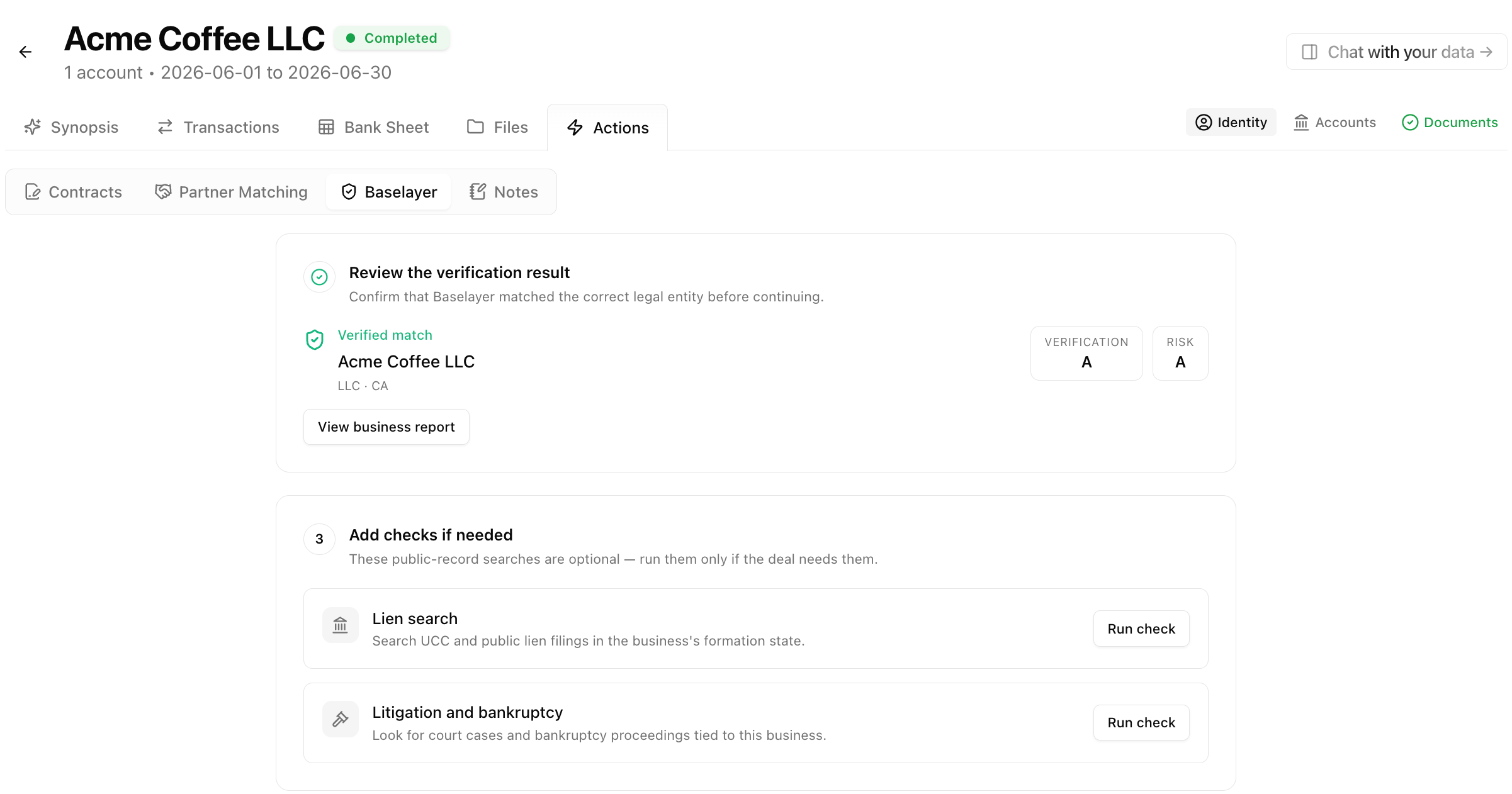
3. **Review** the matched legal entity before continuing.
4. **Add checks** only if the deal needs them — lien search or litigation / bankruptcy.
Most teams start from a book under **Actions → Baselayer**. Use the standalone **Baselayer** page in the sidebar when you need an ad-hoc search that is not tied to a book.
For background on how Baselayer business search works, see [Baselayer's business search docs](https://docs.baselayer.com/docs/business-search-basics) and the [What the checks do](#what-the-checks-do) section below.
## What you can do
* **Verify a business** — Confirm legal entity, registration, identity signals, and watchlists.
* **Order optional checks** — Lien search and litigation / bankruptcy, only when the deal needs them.
* **Reuse prior results** — If the same book (or the same business name and address) already has a completed verification, LendPathway reuses it instead of charging for a duplicate KYB.
* **Track usage** — Baselayer spend counts toward your organization's shared conversion allowance.
## What the checks do
Baselayer runs in two stages: a **business verification** (KYB) that identifies the legal entity, then **optional public-record checks** you can add afterward. Each stage answers a different underwriting question.
### Business verification (Verify business)
This is the starting check. You provide a legal name and address (and optionally TIN/EIN and website). Baselayer searches public records and returns a matched business profile.
**What it checks**
* **Legal entity match** — Finds the registered business that best matches your inputs and confirms whether the name and address align (exact, similar, or no match).
* **Secretary of State filings** — Active registrations, file numbers, incorporation state, and standing.
* **Officers and registered agents** — Names and roles tied to the entity.
* **Business identity** — Entity type (LLC, corporation, etc.), incorporation date, and time in business.
* **Watchlist screening** — Screens the business against compliance watchlists. Results show how many lists were checked and whether any hits were found.
* **TIN / EIN matching** — When you provide a 9-digit TIN, Baselayer can verify it against IRS records for name consistency.
* **Website signals** — When you provide a website, Baselayer uses it to improve entity matching.
**What you see in LendPathway**
* **Verification** grade (A–F) — How strongly the inputs match a real, registered entity. Higher is better.
* **Risk** grade (A–F) — Fraud and compliance risk signals. A is lowest risk.
* **Verified match** vs **Review this match** — Whether Baselayer considers the match conclusive or needs your review.
* **View business report** — Full detail on identity, match checks, SOS filings, officers, and watchlists.
This check runs once per business. LendPathway stores the match so you can reuse it on the same book or the same name and address without paying for duplicate KYB.
For more on how Baselayer business search works, see [Baselayer's business search docs](https://docs.baselayer.com/docs/business-search-basics).
### Lien search (optional)
Run this after verification when you need to know whether the business has outstanding secured debt on public record.
**What it checks**
* **UCC filings** — Financing statements filed against the business.
* **Other public lien records** — Additional lien types available in the searched state.
Results list individual filings with filing type, status, and key dates. Searches run against the matched business's formation state by default.
### Litigation and bankruptcy (optional)
Run this after verification when you need court or bankruptcy exposure on the matched entity.
**What it checks**
* **Litigation dockets** — Public court cases tied to the business.
* **Bankruptcy filings** — Bankruptcy cases on public record.
Results show case metadata such as court, case type, and status. Use this when legal history is part of your underwriting workflow.
Optional checks require a completed business verification with a matched entity. They bill separately from KYB and only run when you click them.
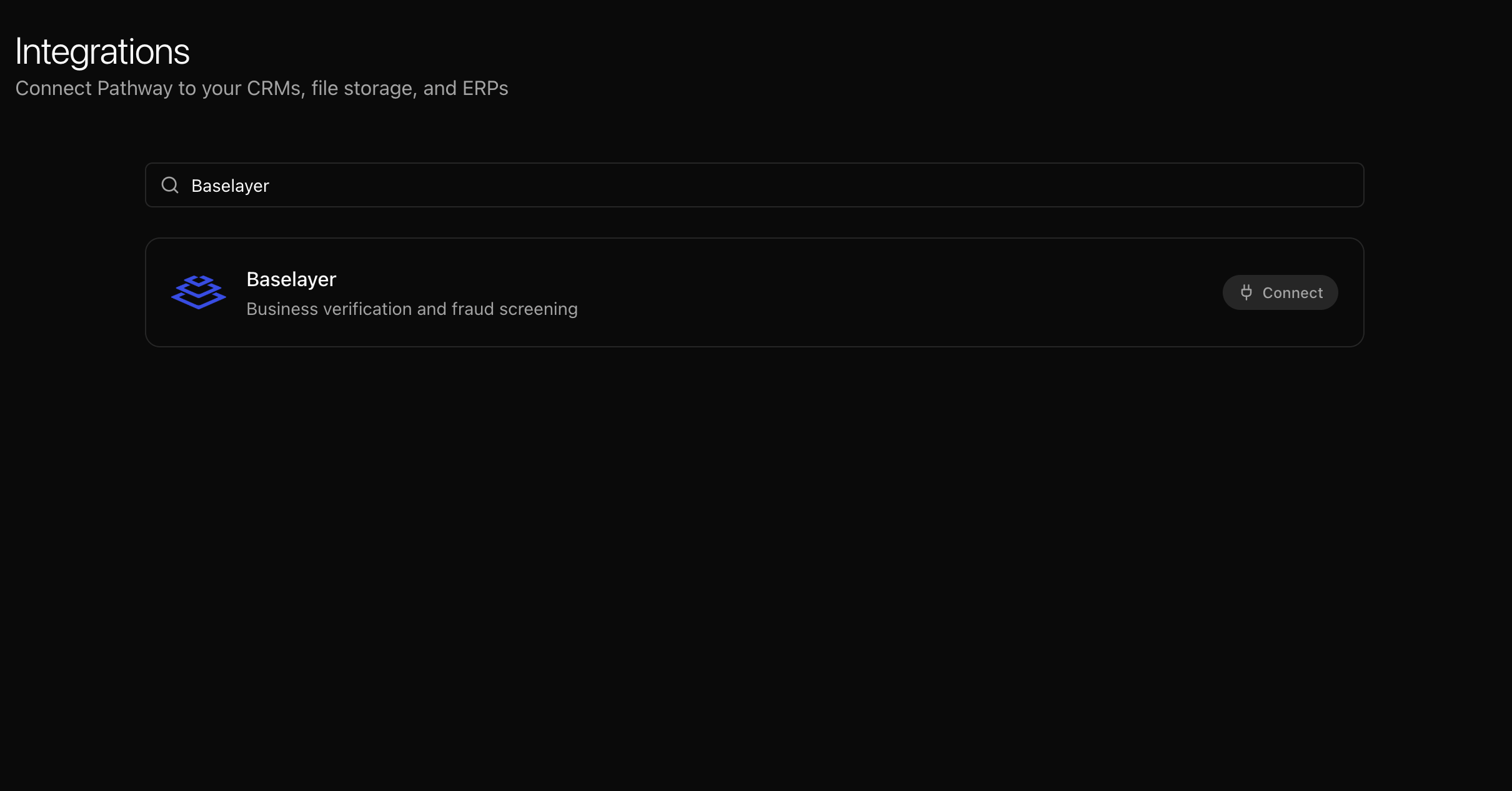
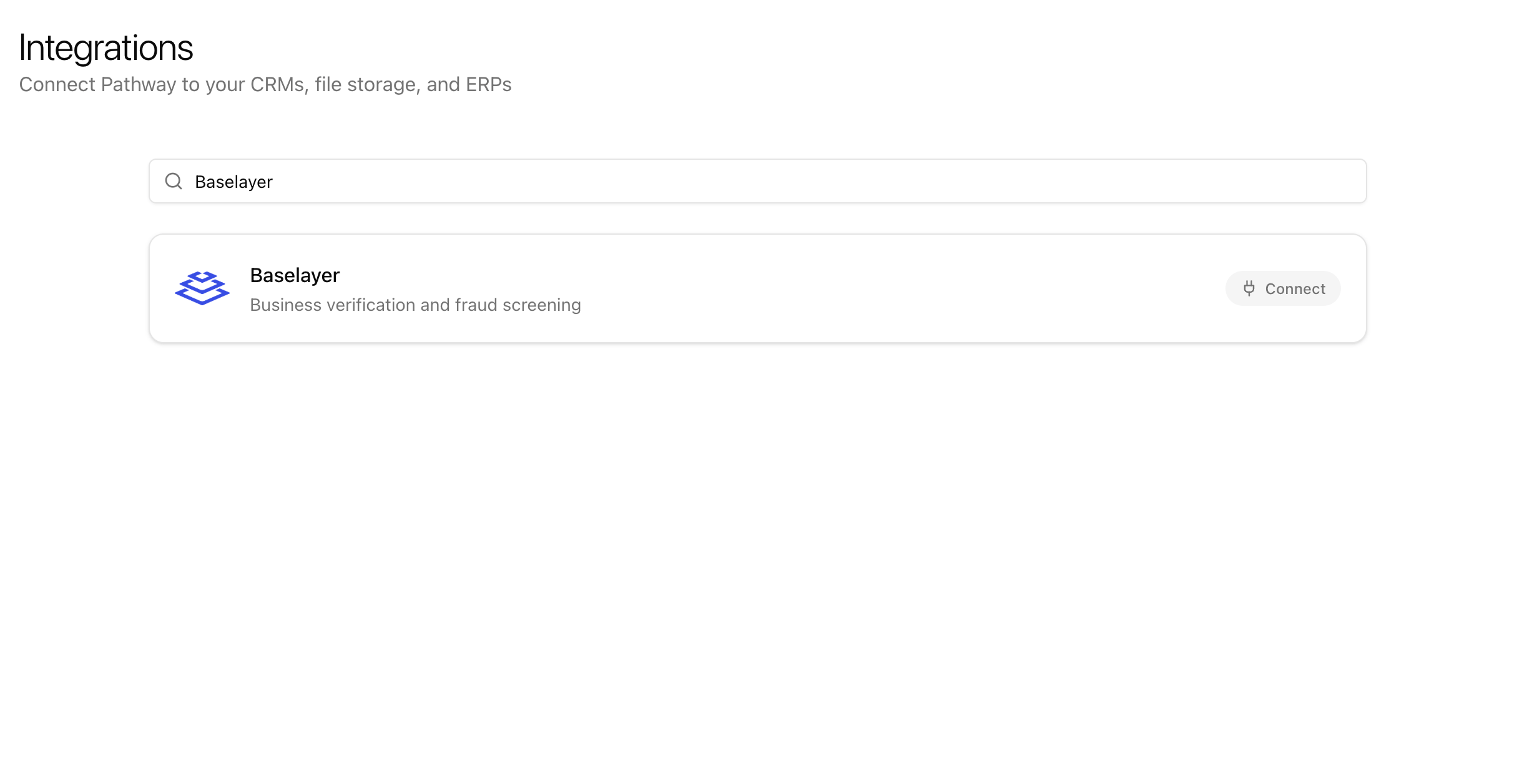
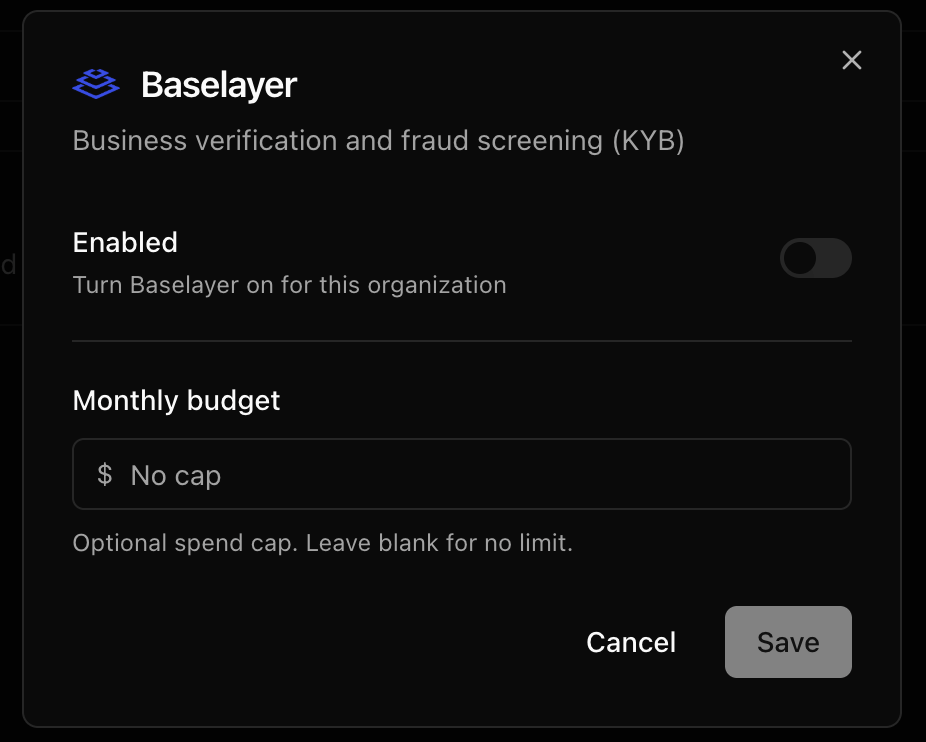
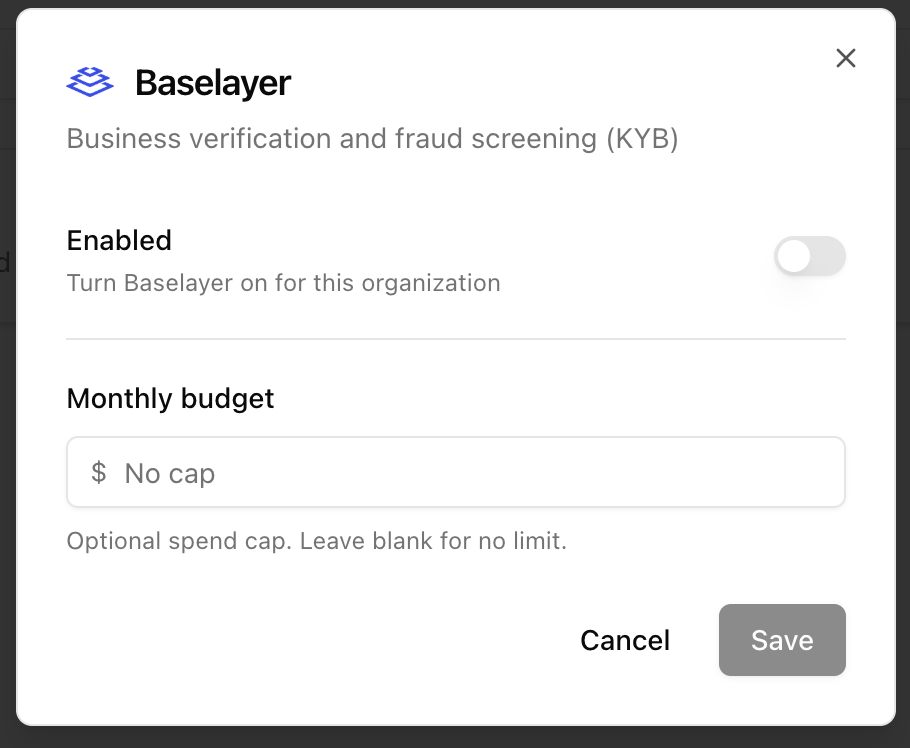
## Enable Baselayer
Baselayer is per organization. An org admin must turn it on before anyone can run searches.
1. Go to **Connectors → Integrations** in the sidebar.
2. Click the **Baselayer** card.
3. Turn **Enabled** on.
4. Optionally set a **Monthly budget** (dollar cap). Leave blank for no cap.
5. Click **Save**.
 When Baselayer is on, it appears in the sidebar and under **Actions** on books.
## Verify a business from a book
1. Open a book.
2. Go to **Actions → Baselayer**.
3. Confirm the prefilled **Legal business name** and **Business address** (required).
4. Optionally add **TIN / EIN** (9 digits) and **Website** to improve matching.
5. Click **Verify business**.
6. Wait for the result, then review the matched entity before ordering extra checks.
When Baselayer is on, it appears in the sidebar and under **Actions** on books.
## Verify a business from a book
1. Open a book.
2. Go to **Actions → Baselayer**.
3. Confirm the prefilled **Legal business name** and **Business address** (required).
4. Optionally add **TIN / EIN** (9 digits) and **Website** to improve matching.
5. Click **Verify business**.
6. Wait for the result, then review the matched entity before ordering extra checks.
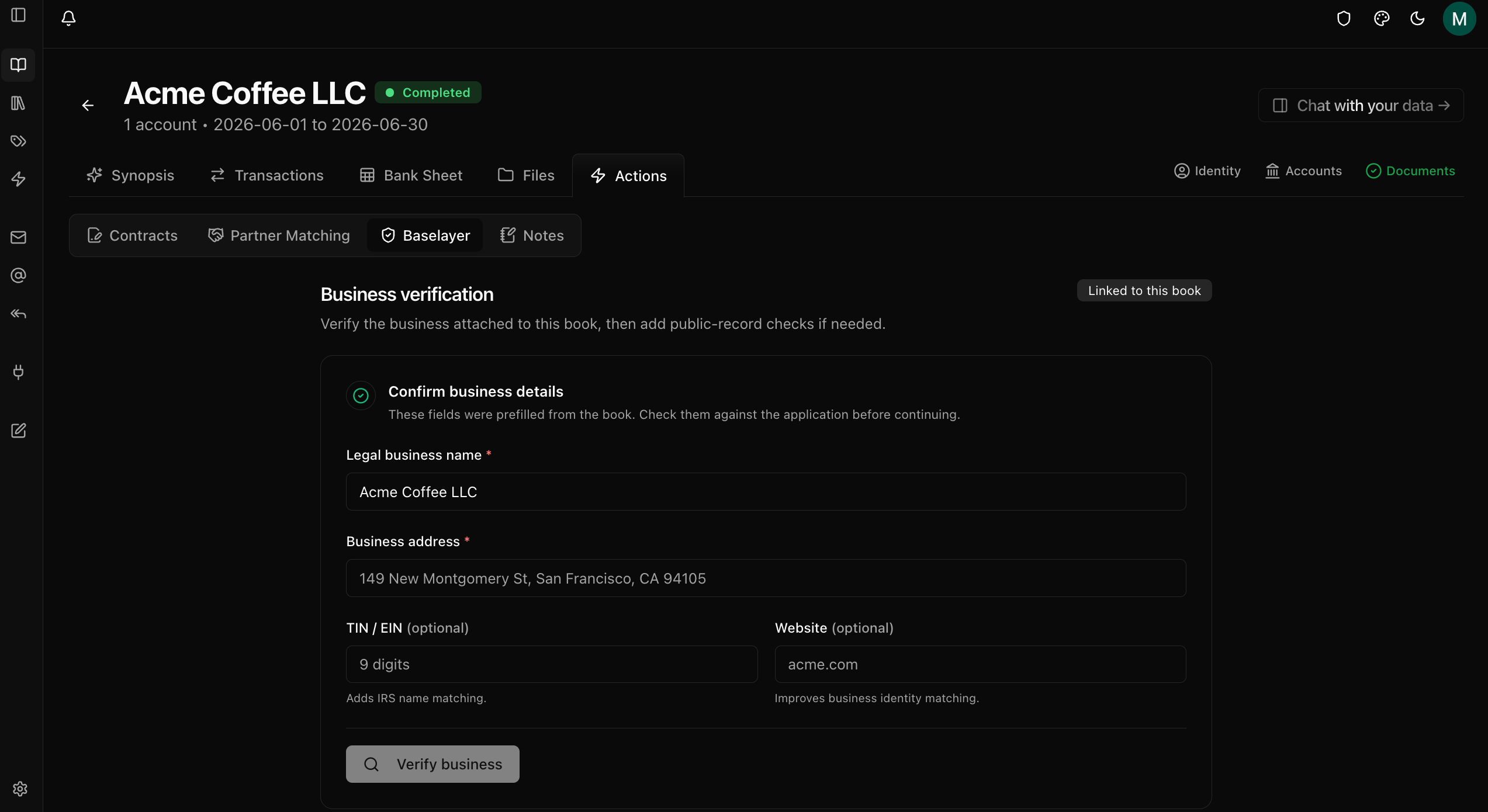
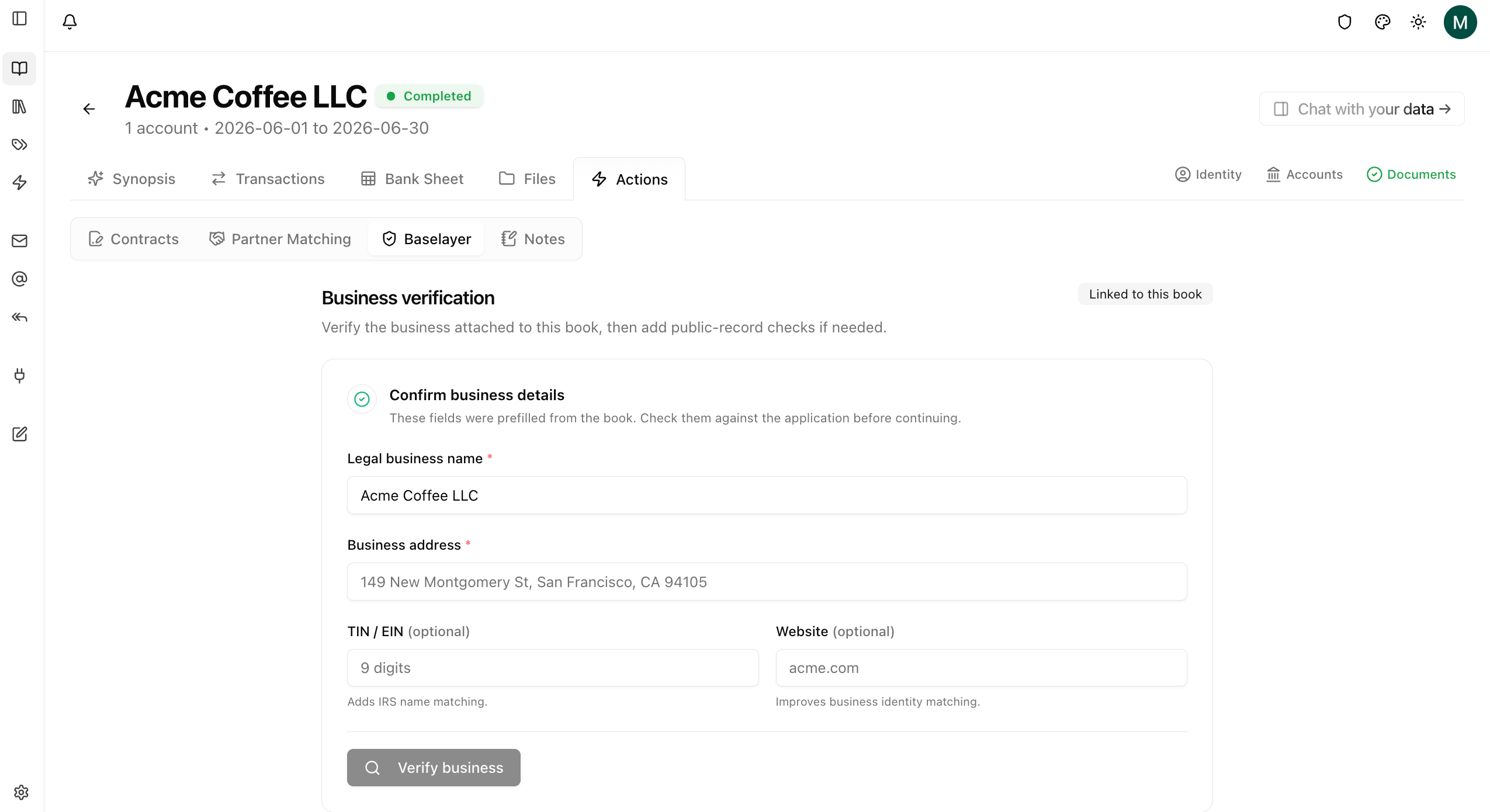
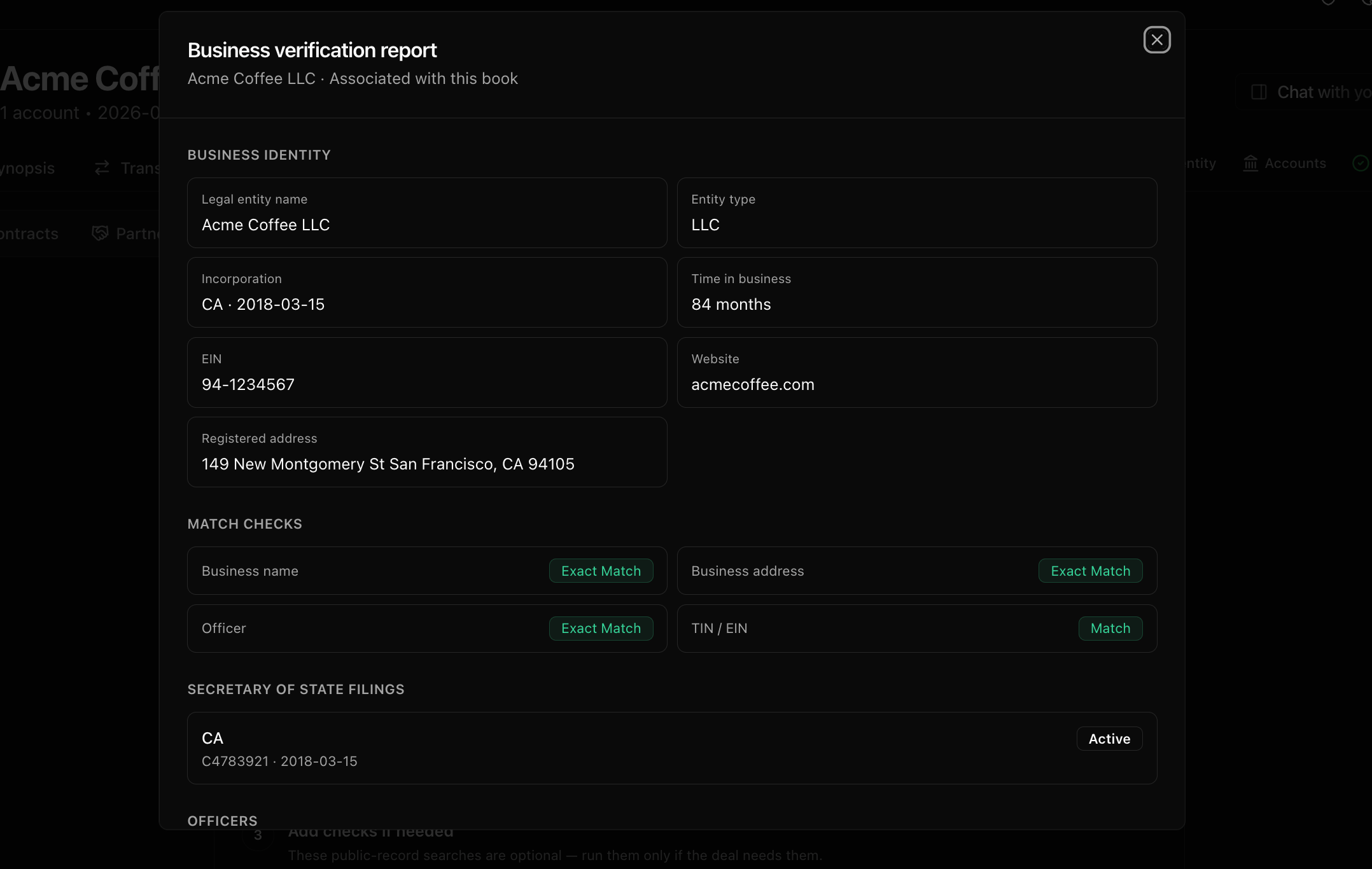
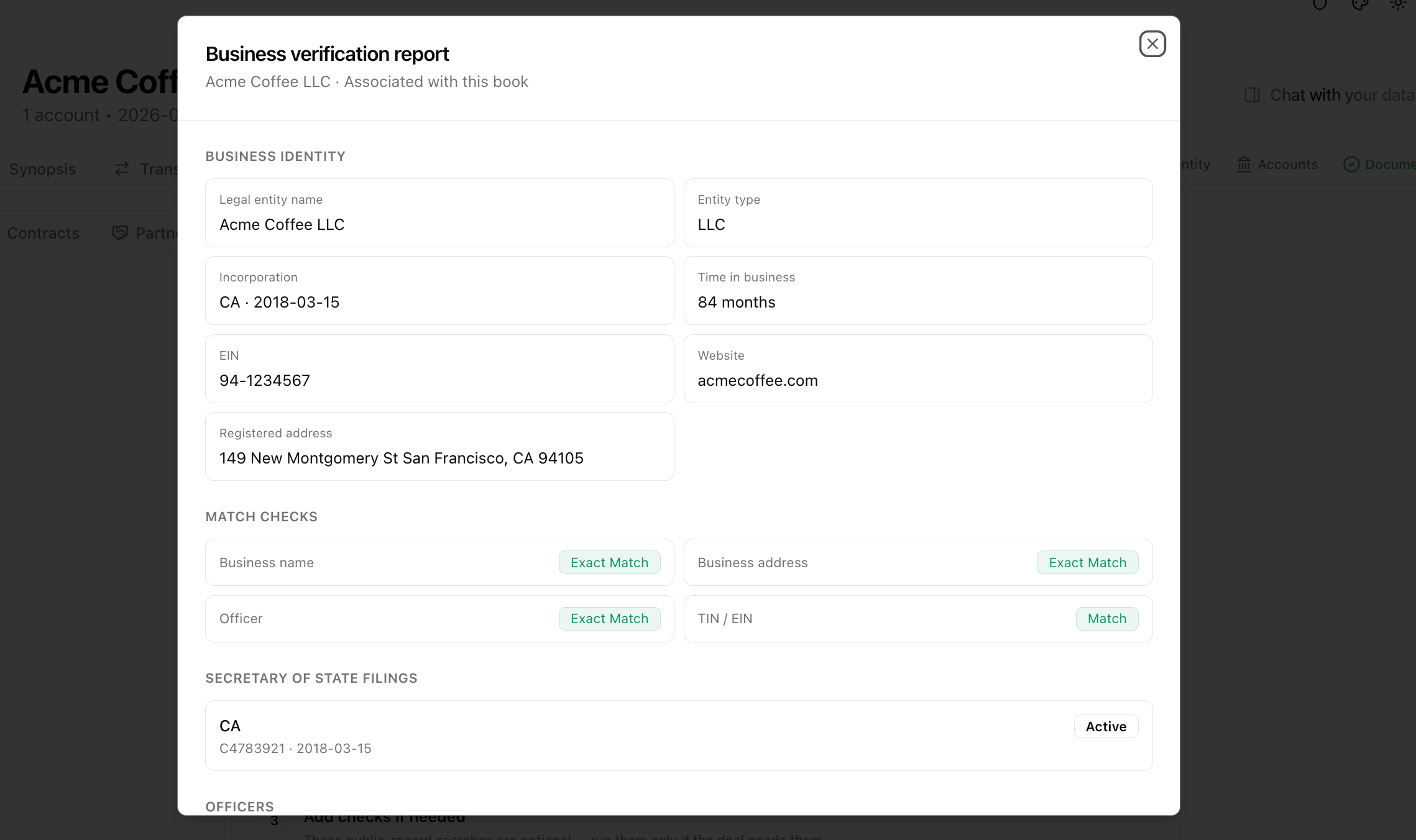 Name and address are required. TIN and website are optional. Use the registered legal name and address when possible for the strongest match.
## Optional public-record checks
After a verification completes and Baselayer returns a business match, you can add:
| Check | What it covers |
| ----------------------------- | ------------------------------------------------------------- |
| **Lien search** | UCC and public lien filings in the business's formation state |
| **Litigation and bankruptcy** | Public dockets for litigation and bankruptcy |
These are optional. Run them only if the deal needs them. Each check uses conversions from your org allowance.
Name and address are required. TIN and website are optional. Use the registered legal name and address when possible for the strongest match.
## Optional public-record checks
After a verification completes and Baselayer returns a business match, you can add:
| Check | What it covers |
| ----------------------------- | ------------------------------------------------------------- |
| **Lien search** | UCC and public lien filings in the business's formation state |
| **Litigation and bankruptcy** | Public dockets for litigation and bankruptcy |
These are optional. Run them only if the deal needs them. Each check uses conversions from your org allowance.
 ## Verify from the Baselayer page
Use **Baselayer** in the sidebar for searches that are not tied to a book.
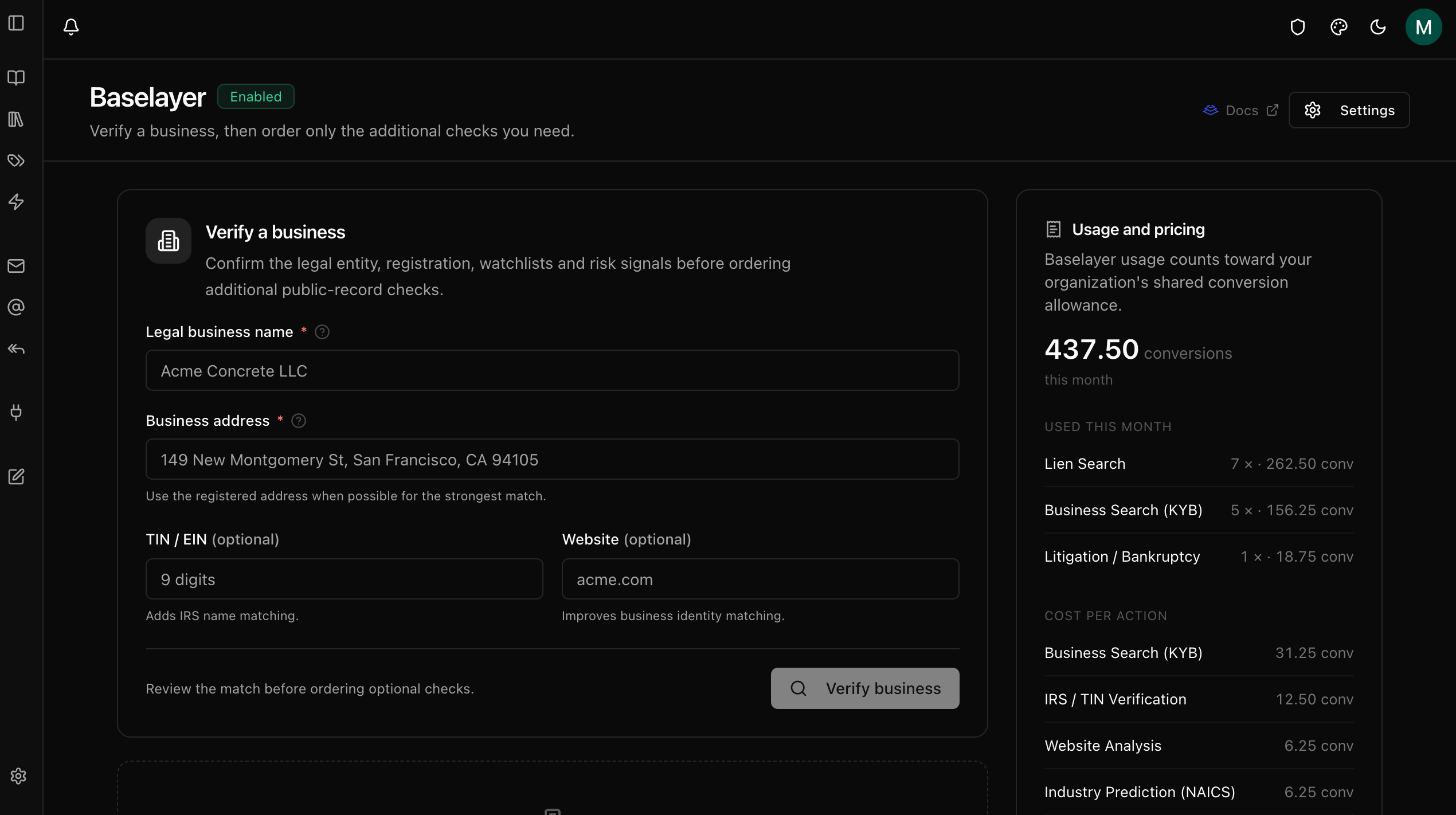
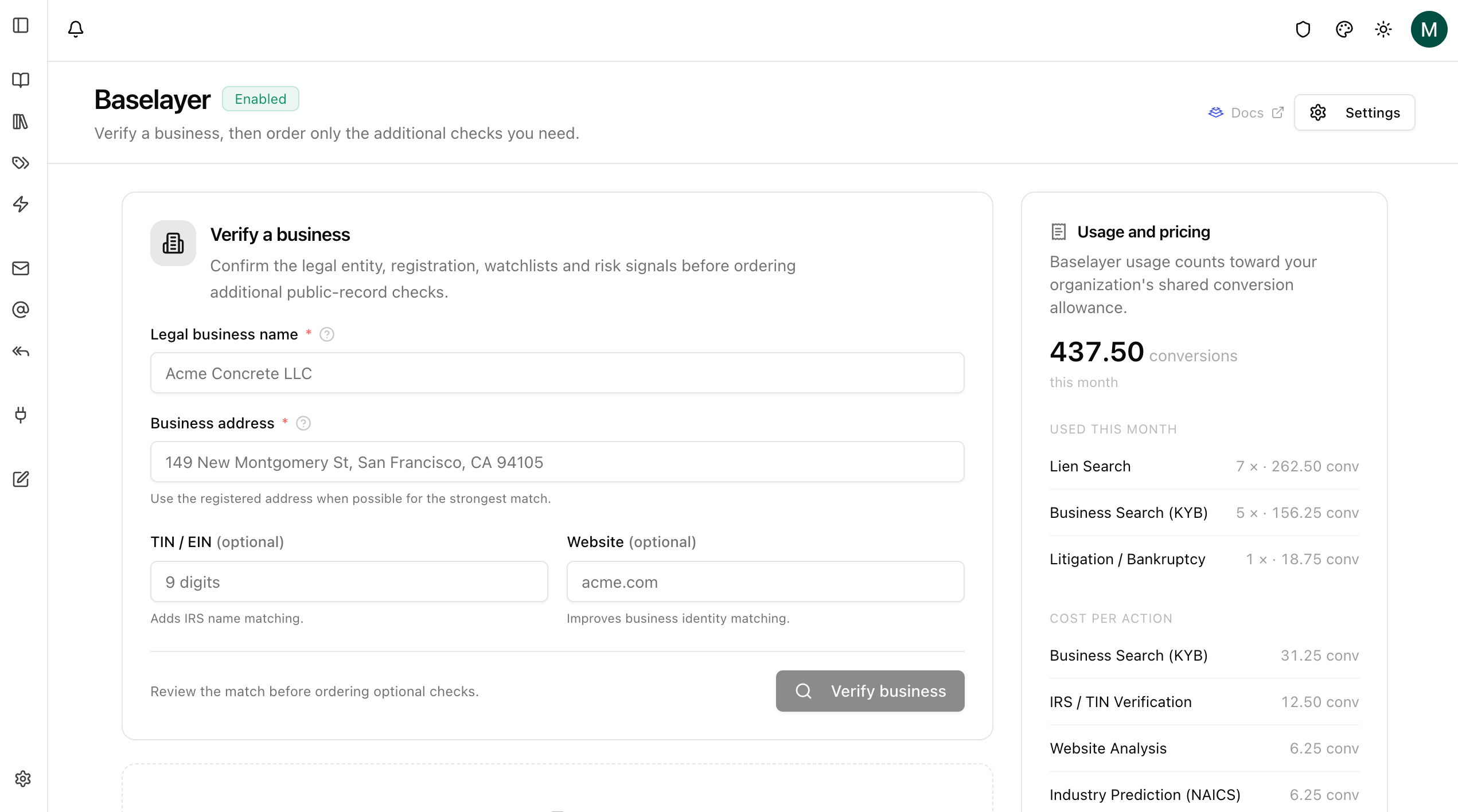
1. Open **Baselayer**.
2. Enter legal name and address (and optional TIN / website).
3. Click **Verify business**.
4. Review the result, then order liens or litigation if needed.
5. Use **Usage and pricing** in the sidebar to see monthly conversion usage.
6. Use history (when available) to reopen a prior search.
## Verify from the Baselayer page
Use **Baselayer** in the sidebar for searches that are not tied to a book.
1. Open **Baselayer**.
2. Enter legal name and address (and optional TIN / website).
3. Click **Verify business**.
4. Review the result, then order liens or litigation if needed.
5. Use **Usage and pricing** in the sidebar to see monthly conversion usage.
6. Use history (when available) to reopen a prior search.
 ## Reuse and billing
* Completing **Verify business** uses conversions. Duplicate KYB for the same book, or the same name and address with a prior completed result, is reused when possible so you are not charged again for the same verification.
* Lien and litigation checks are separate and bill when you run them.
* Usage counts toward the organization's shared conversion allowance. An optional monthly budget can block further spend when the cap is reached.
* You can change **Enabled** and **Monthly budget** anytime from Integrations or **Settings** on the Baselayer page.
## Troubleshooting
| Issue | What to try |
| ----------------------------------------- | ----------------------------------------------------------------------------- |
| Baselayer missing from sidebar or Actions | Enable it under **Connectors → Integrations → Baselayer**. |
| Verify stays pending | Wait a short time and refresh. If it never completes, contact support. |
| Weak or unexpected match | Check legal name spelling, use the registered address, and add TIN / website. |
| Lien or litigation unavailable | Finish a successful verification first so a business match exists. |
| Blocked by budget / conversions | Raise or clear the monthly budget, or wait for the next allowance period. |
## Reuse and billing
* Completing **Verify business** uses conversions. Duplicate KYB for the same book, or the same name and address with a prior completed result, is reused when possible so you are not charged again for the same verification.
* Lien and litigation checks are separate and bill when you run them.
* Usage counts toward the organization's shared conversion allowance. An optional monthly budget can block further spend when the cap is reached.
* You can change **Enabled** and **Monthly budget** anytime from Integrations or **Settings** on the Baselayer page.
## Troubleshooting
| Issue | What to try |
| ----------------------------------------- | ----------------------------------------------------------------------------- |
| Baselayer missing from sidebar or Actions | Enable it under **Connectors → Integrations → Baselayer**. |
| Verify stays pending | Wait a short time and refresh. If it never completes, contact support. |
| Weak or unexpected match | Check legal name spelling, use the registered address, and add TIN / website. |
| Lien or litigation unavailable | Finish a successful verification first so a business match exists. |
| Blocked by budget / conversions | Raise or clear the monthly budget, or wait for the next allowance period. |